
Shipping Your First AI Agent in 30 Days: A Guide for Product Managers
An executive demands an AI strategy in six weeks, but a deck without data is just theory. Learn how one PM used radical constraints to ship a single AI capability in 30 days, proving that real usage data from two users is more valuable than a perfect plan.

How Maya Shipped Her First Agent Capability in 30 Day
Maya had been a PM at DealIO for three years. The product helped sales teams manage contracts. Send them. Track signatures. Close deals. Nothing glamorous, but 40,000 companies used it daily.
She'd been a PM long enough to recognize the setup. Her CEO's Slack message arrived at 7:43 AM with the subject line "Thoughts?" and a link to Apple's Intelligence announcement. No preamble. No context. Just the question hanging there, waiting for an answer she didn't have.
By 9 AM, her head of sales had forwarded the same link with a different question: "Do we work with AI agents?"
By noon, her calendar showed a new meeting: "Agent Strategy Discussion" in six weeks.
Six weeks to present a strategy for something she'd been thinking about for six days.
The Constraint Audit
Maya opened a new doc and started listing what she had:
- Engineering team underwater with Q2 roadmap commitments
- No budget for new headcount
- 47 product features, any of which could theoretically be "agent-enabled"
- Six weeks until executives expected answers
What she didn't have: time to analyze her way to the right answer.
 Prashant Bhargava
She'd read about the Five Dimensions Decision Framework to build Agent Capabilities—revenue model, customer behavior, risk profile, moat location, time horizon. DealIO checked most of the boxes. Enterprise customers already approved software through IT. Contracts involved sensitive data but read operations were low risk. The pricing model was seat-based, which wasn't perfect for agent usage, but it wasn't a dealbreaker.
The analysis said "maybe." The only way to turn "maybe" into "yes" or "no" was to ship something real.
Maya sent a message to her senior engineer: "Got 30 minutes tomorrow? Want to explore something."
Choosing the Capability
Maya pulled up her customer interview notes from the past quarter. Not new interviews, just the complaints and feature requests she'd collected during normal check-ins.
One pattern kept appearing: "Has the NDA been signed yet?"
Sales teams asked it. Account managers asked it. Even customers asked it when they were waiting on contracts from their own vendors.
DealIO had 47 features. Most required the full UI context to make sense—signature workflows, template builders, bulk send operations. But document status was self-contained. The product already had an internal API endpoint that powered the dashboard: /api/v1/documents/{id}/status. It returned a simple response: pending, signed, expired.
Read-only. High value to users who asked the question daily. Self-contained. API-ready.
Maya added it to her doc: "First capability: Get document status."
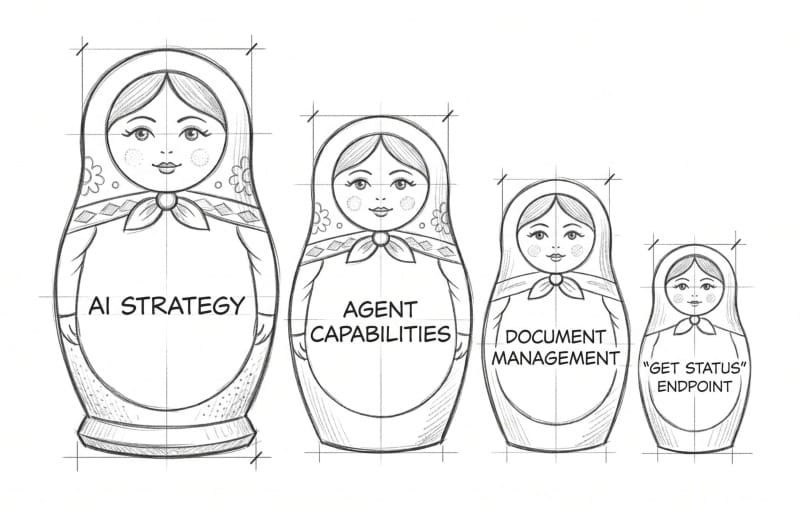
Now she needed to know if anyone would actually use it.

Week 1: What Would You Do With This?
Maya opened a new doc. At the top, she wrote: Desired Outcome: Sales teams close deals faster.
Underneath, she started mapping what she knew from past conversations:
- Sales reps spend 30+ min/day checking contract status
- Deals stall when contracts sit unsigned for weeks
- No visibility into which contracts need follow-up
But these were observations from months ago. She needed fresh data.
Maya scheduled calls with five customers, but not cold interviews. She picked people she'd talked to before—customers who'd complained about contract workflows, who'd asked for automation features, who used Zapier to patch gaps in DealIO.
The first call went sideways fast.
"If an AI agent could check document status without you logging in, would you use it?"
Sarah paused. "I mean... sure? Sounds useful."
Maya wrote down "sure, sounds useful" and immediately knew it was worthless. That was the answer people gave when they were being polite.
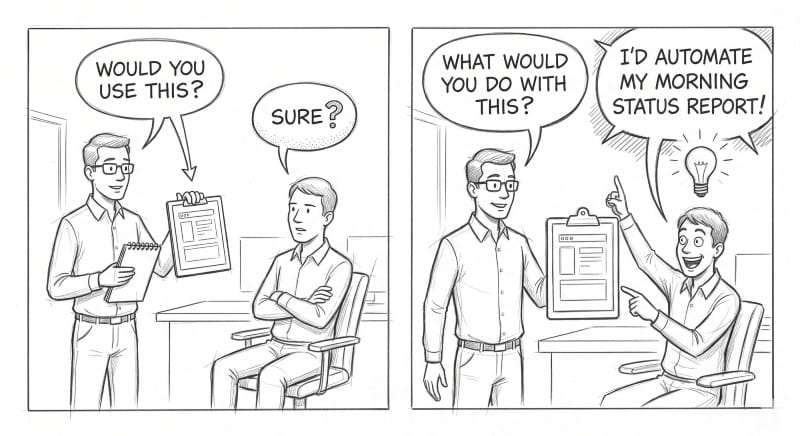
She tried a different approach.
"Walk me through what you did this morning when you got to work."
"Checked email, then logged into DealIO to see which contracts came back overnight."
"How long did that take?"
"Maybe 30 minutes? I'm checking status on 15-20 contracts, opening each one."
"What happens if you don't check?"
"Deals slip. A contract sits pending for two weeks and nobody notices until the customer emails asking why we haven't signed."
Now they were talking about a real problem.
"What if you didn't have to log in? What if you could just ask 'what's pending?' and get a list?"
Sarah's energy shifted. "Oh. Well, we have an intern who does this every morning and updates a spreadsheet. If an agent could do that..."
Maya added to her doc:
Opportunity: Eliminate manual status checking
Current solution: Intern manually checks, updates spreadsheet (30 min/day, 15-20 contracts)
Assumption: Users will trust an agent to access contract data
By the fifth call, Maya had refined her questions. She stopped describing solutions and started asking about desired outcomes.
"If you could wave a wand and fix one thing about contract workflows, what would it be?"
"I'd know instantly which contracts are stuck so I can follow up before deals go cold."
"What would you do with that information?"
"I'd trigger Slack reminders when deals stall past three days."
"We'd automate the Monday morning status report."
"I'd build a workflow: check status, and if it's pending after a week, escalate to the sales manager."
Maya's doc grew:
Opportunity: Proactive follow-up on stalled contracts
Assumptions to test:
- Users will grant read access to contract data
- Status check without UI login provides value
- Integration with existing tools (Slack, email) is necessary
- 3-5 day stall threshold triggers action
Four of the five customers described the same pain: manually checking status was eating 20-30 minutes daily. All four had built workarounds—spreadsheets, interns, calendar reminders.
But one customer—Alex—said something different: "Honestly, the bigger problem is that I don't know why contracts are stuck. Status tells me it's pending, but I still have to dig through email to figure out who's blocking it."
Maya added that to her doc under a different branch. Not for this iteration, but worth remembering.
She had her signal. Customer demand existed. They could quantify the value. And she had a clear assumption to test: would customers grant an AI agent read access to their contract data?
Only one way to find out: ship something and ask.
By Friday, her doc looked like this:
OUTCOME: Sales teams close deals faster

├─ OPPORTUNITY: Eliminate manual status checking
│  ├─ Current cost: 30 min/day per person
│  ├─ Solution: "Get document status" capability
│  └─ Assumption to test: Users will grant read access
│
├─ OPPORTUNITY: Proactive follow-up on stalled contracts
│  ├─ Current gap: Deals slip when contracts sit unsigned
│  ├─ Desired behavior: Auto-trigger reminders after 3-5 days
│  └─ Assumption to test: Integration with Slack/email necessary
│
└─ OPPORTUNITY: Understand why contracts stall [FUTURE]
   └─ Current gap: Status doesn't show blocker
She picked the first branch. One capability. Clear outcome. Testable assumption.
The rest could wait.
Week 2: The Engineering Reality Check
Jordan pulled up a whiteboard. "So, document status check via MCP. Let me think through what this needs..."
The diagram grew as Jordan sketched: MCP server, API wrapper, auth layer, rate limiting, audit logs, scope validation, error handling, caching, monitoring.
"Two weeks," Jordan said. "Maybe three if we're being honest."
It was a classic case of the Curse of Knowledge. Jordan was applying a hyperscale mental model to a micro-scale problem. Engineers naturally default to building for scale—anticipating multi-tenant complexities and edge cases before there's even a single tenant using the feature.
Maya's stomach dropped. The executive presentation was in six weeks. She needed four weeks to gather usage data or she'd be presenting theory, not evidence.
"What if we add constraints to force focus?" Maya asked.
Jordan looked up. "Meaning?"
"You're designing for scale. What if we don't? What if we design for... three customers, read-only, one month of runtime?"
Jordan tilted their head, considering. "So no write operations. No delete. Just reads."
"Just reads."
"And we don't need enterprise-grade auth if it's three hand-picked customers. We can use API keys instead of full OAuth, gate it behind our existing user permissions."
"Right. They already have access to documents through the UI. This just lets them check status via an agent."
Jordan started erasing parts of the diagram. "No multi-tenant complexity. No delete permissions to audit. No complex rate limiting—100 calls per minute per customer is fine. We cache status for five minutes so if the API hiccups, the agent gets stale data instead of failing."
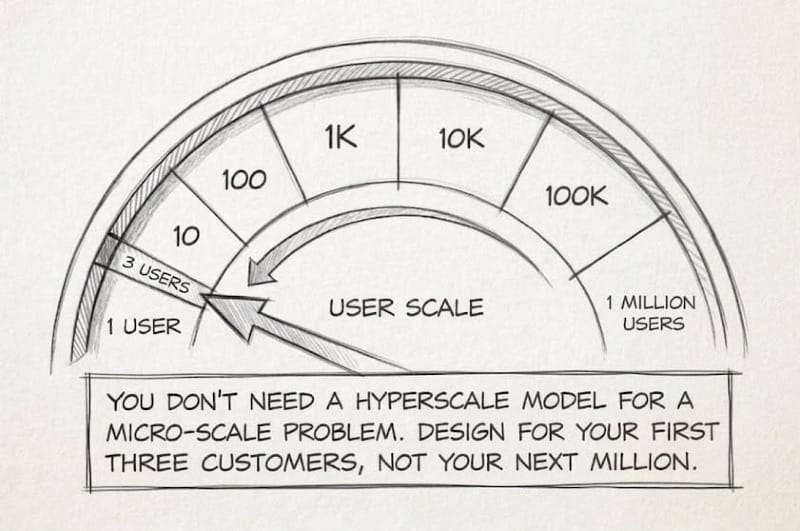
The diagram was half the size now.
"How long?" Maya asked.
"One week. Five days if I don't hit surprises."
Maya pulled up her calendar. "You've got five. If it takes seven, we still have three weeks of data before the presentation."
"What about audit logs?" Jordan asked. "If we're only tracking reads from three customers, do we really need full audit trails?"
Maya thought about Sarah from the customer calls. Her team handled enterprise NDAs worth millions.
"Keep the audit logs," Maya said. "If we're touching customer data, even read-only, we need to show what we accessed and when. That's not negotiable."
"Fair. Everything else though—caching, simple rate limiting, API keys—those are all faster."
Jordan nodded. "One endpoint. Read-only. Three customers. I can do five days."
"And when they ask for more?"
"Then we have usage data to justify building it right."

Week 3: Build and Test Assumptions
Day three, Jordan sent a Slack: "Basic MCP server works. Can query the endpoint, get status back. Starting on auth."
Day five: "Rate limiter tested. Audit logging schema done. Running final integration tests."
Day seven: "Shipped. Ready for your test customers."
Maya connected her Claude to the MCP server and typed: "What's the status of document ABC-123?"
The response came back clean:
{
  "document_id": "ABC-123",
  "status": "pending",
  "signed_by": [],
  "pending_from": ["legal@acmecorp.com"],
  "last_updated": "2026-04-08T14:30:00Z"
}
It worked!
Maya pulled up her assumption list:
- ✓ Internal API is stable enough for agent access
- ? Users will grant read access to contract data
- ? Status check without UI login provides value
- ? Integration with existing tools necessary
Time to test the ones with question marks.
She sent Sarah—the customer with the intern checking status every morning—a brief message: "Remember that contract status capability we talked about? It's live. Want to try it?"
Sarah replied within minutes: "Yes. How does it work?"
Maya sent setup instructions and scheduled a 30-minute call for the next morning.
On the call, Sarah shared her screen. She connected the MCP server to Claude, then typed: "Show me all pending contracts."
The agent listed 23 documents. Sarah scanned the list. "Wait, this one's been pending for 11 days? I had no idea."
Within the hour, Sarah had built her first workflow. She set up a morning automation: check all pending contracts, flag anything stuck for more than three days, post summary to Slack.
"This is incredible," Sarah said. Then she paused. "Also—I love that I can see what the agent checked in the audit log. Makes me trust it."
Maya updated her assumptions:
- ✓ Users will grant read access (Sarah granted immediately, no hesitation)
- ✓ Status check without UI provides value (found 11-day stalled contract)
- ✓ Audit logs build trust (unexpected benefit)
But one assumption remained untested: integration necessity.
Two days later, Maya invited Alex and David to test. Both had mentioned specific integration needs during the Week 1 calls.
Alex built a workflow within a day. David tested it once, then went quiet.
Maya made a note: "Follow up with David after Week 4. See what blocked adoption."
Week 4: Validating Assumptions
Three customers. Four weeks of usage. Maya reviewed her assumption list:
Tested & Validated:
- ✓ Users will grant read access (100% permission grant rate)
- ✓ Status check without UI provides value (2 of 3 use daily)
- ✓ Audit logs build trust (customers cite in feedback)
Partially Validated:
- ? Integration with existing tools necessary (2 yes, 1 unclear)
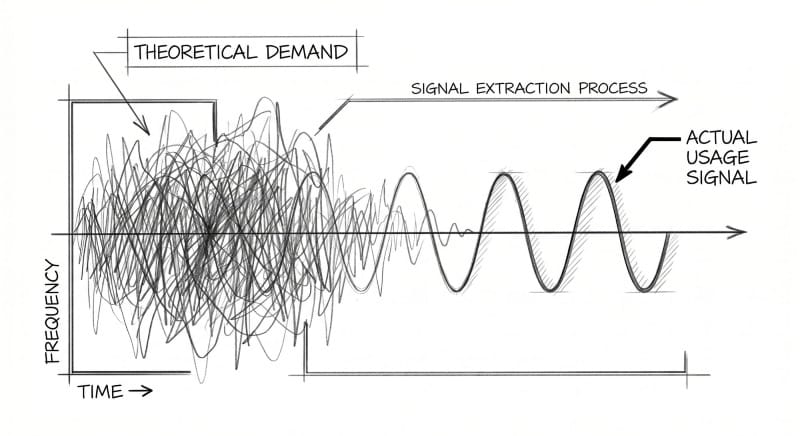
The metrics told part of the story:
Sarah: 127 API calls over 28 days. Built two workflows (morning status check, weekly report). Saved 30 minutes daily. Feedback: "When are you enabling more tools through the MCP?"
Alex: 89 API calls. Built one workflow: weekly status compilation that used to take an hour manually. Feedback: "This should integrate with our CRM. Right now I'm copying data between tools."
David: 1 API call. Day one. Never returned.
But metrics didn't explain why David stopped using it.
Maya scheduled a call. "What happened? You tested it once and never came back."
"It works great," David said. "But I need it in my CRM, not in Claude. I'm not switching tools to check contract status. If it could feed data directly into Salesforce, I'd use it constantly."
Maya updated her doc:
OUTCOME: Sales teams close deals faster

├─ OPPORTUNITY: Eliminate manual status checking
│  ├─ Solution shipped: "Get document status"
│  ├─ VALIDATED: Users grant read access (3/3)
│  ├─ VALIDATED: Standalone value exists (2/3 daily usage)
│  └─ NEW ASSUMPTION: CRM integration required for universal adoption
│
├─ OPPORTUNITY: Proactive follow-up on stalled contracts
│  ├─ VALIDATED: Users build automated workflows (2 workflows live)
│  └─ VALIDATED: Audit logs build trust (cited in feedback)
The pattern was clear: standalone capability had value for some users (Sarah, Alex). But broader adoption required integration depth, not feature breadth.
During her next call with Sarah, Maya tested a new question: "If I could add one thing to this capability, what would have the most impact?"
"Honestly? Let me configure the stall threshold. Right now I trigger reminders at 3 days, but for enterprise contracts I'd want 7 days. For NDAs, maybe 24 hours."
Maya hadn't considered configurable thresholds. But Sarah had—because she was using the tool daily.
Another assumption to test: users need customization, not just automation.
Week 5: The Presentation
Maya's presentation to the executive team was five slides. Most strategy decks were 40.
Slide 1: What We Shipped
One capability: "Get document status" via MCP server. Read-only access. Three early-access customers.
Slide 2: Time Investment
30 days total. Five days of engineering. One PM (me). One engineer (Jordan).
Slide 3: Customer Response
- 2 of 3 customers use it daily
- Average time saved: 30 minutes per day
- 3 automated workflows built by customers
- Permission grant rate: 100% (all three granted access immediately)
- Feature request signal: 2 customers asked for expanded capabilities
Slide 4: What We Learned
- Customer demand is real (not theoretical)
- Integration depth matters more than feature breadth
- Audit logs drive trust (customers cite them in feedback)
- Our API is ready (wrapper needed, not entire rebuild)
Slide 5: What's Next
Request: 1 engineer for Q3. Build 3 more read-only capabilities. Add CRM integration. Measure adoption. Report back in September.
The CEO leaned back. "Only two users?"
"Two who use it every day," Maya said. "That's better than a hundred who tried it once. And they're both asking for more capabilities. We started with permission to read. If we execute well, we earn permission to write."
"What would it take to expand?"
"One engineer. Three more capabilities. Revisit in Q3 with real usage data instead of projections."
The CTO nodded. "I like that you kept it small. Most AI initiatives die in the architecture phase because teams try to build Skynet on day one. This is a real test with real constraints."
Approved.
Six Months Later
Maya's calendar showed five customer calls scheduled for this week. Not new prospects—existing users. She'd kept the habit from Week 1: regular conversations to understand how they were using the capabilities, what was working, what wasn't.
Her Slack lit up with a message from Sarah.
"Hey—we've rolled this out to the whole sales team. 15 people using it daily now. Question: can we get write access? I want agents to send reminder emails directly when contracts stall, not just flag them in Slack."
Maya smiled. They'd started with an assumption: users will grant read access. Six months later, customers were asking for write permissions. The assumption had evolved: trust builds incrementally.
Her opportunity tree had grown too:
OUTCOME: Sales teams close deals faster

├─ Eliminate manual status checking [SHIPPED]
│  ├─ Get document status (47 daily users)
│  └─ CRM integration [IN PROGRESS - Q3]
│
├─ Proactive follow-up on stalled contracts [SHIPPED]
│  ├─ Configurable thresholds (Sarah's request)
│  └─ Auto-send reminders [TESTING - needs write access]
│
└─ Understand why contracts stall [EXPLORING]
   └─ New assumption: Email thread analysis shows blockers
The metrics told the story:
- 47 customers using agent capabilities daily
- 8 capabilities live (started with 1)
- 12 customers upgraded to higher tiers specifically for API access
- Zero security incidents
- Audit log access had become a feature customers requested in demos
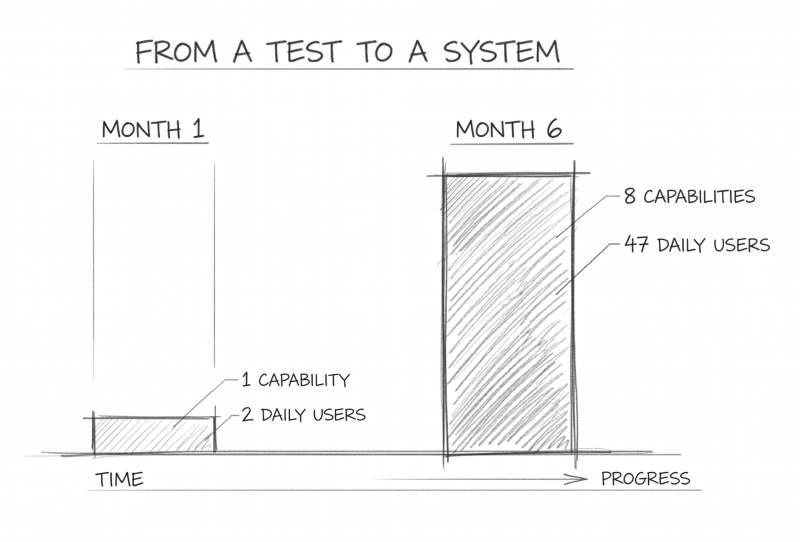
The executive team had asked for a strategy six months ago. Maya had given them something better: Evidence.
She opened her interview notes from this week. Three customers mentioned the same new pain point: they wanted agents to create contracts from templates, not just check status on existing ones.
Maya added it to the tree. New opportunity. New assumptions to test. Same pattern: talk to customers, identify outcomes, test assumptions, ship small.
She pulled up her doc from six months ago and added a line at the bottom:
"You don't need a perfect strategy. You need continuous discovery and real usage data."
What Made This Work
Customer conversations weren't one-time research. Maya talked to customers before building (Week 1), during testing (Week 3), and after shipping (Week 4). Each conversation refined her understanding of what mattered. The customers weren't test subjects—they were collaborators.
Outcomes drove decisions, not features. Maya started with "Sales teams close deals faster" and worked backward. Every capability mapped to that outcome. When customers requested features (export to CSV, configurable thresholds), she tested whether they advanced the outcome before building.
Assumptions made learning explicit. "Users will grant read access" was an assumption, not a fact. By naming it, Maya forced metacognition onto the process—she was thinking about her own thinking. When data invalidated an assumption (export to CSV), she could pivot without defending a feature nobody wanted.
The constraints forced creativity. Jordan's initial estimate was two to three weeks. By constraining scope—three customers, one month, read-only access—the timeline dropped to five days. Not because they cut corners, but because they cut complexity.
Trust architecture wasn't optional. Audit logs, rate limiting, and scope validation took extra time. But customers cited the audit trail as a reason they trusted the capability. Trust wasn't a feature to bolt on later—it was the foundational system requirement.
Metrics measured outcomes, not activity. Total API calls: 216 over four weeks. Meaningless. Daily active users: 2 of 3. Time saved: 30 minutes per day. Workflows automated: 3. Those numbers showed value.
Partial success taught more than total success. Two customers adopted daily. One tried once and stopped. The difference: integration depth. Standalone capabilities have limits. Customers need tools that fit into existing workflows, not new workflows to adopt.
Continuous discovery scaled with the product. Six months later, Maya still scheduled weekly customer calls. As the capability grew (1 feature → 8 features), her opportunity tree grew with it. New customer pain points became new branches to explore.
The pattern held: talk to customers, identify outcomes, test assumptions, ship small, measure what matters, repeat.
No perfect strategies. Just continuous learning.
Key Frameworks Introduced
The 30-Day Capability Sprint
- Week 1: Validate demand with customer interviews
- Week 2: Technical scoping with constraint-driven design
- Week 3: Build with trust architecture from day one
- Week 4: Measure outcomes and gather feedback
Four Criteria for First Capability
- Read-only (low risk)
- High value (solves real pain)
- Self-contained (works independently)
- API-ready (or close to it)
User-Centric Validation Questions
- Not: "Would you use this?"
- Instead: "What would you do with this information?"
- Follow-up: "Walk me through your current process"
- Quantify: "How much time does that take?"
Success Metrics That Matter
- Daily active users (not total API calls)
- Time saved per user (quantified outcome)
- Permission grant rate (trust signal)
- Feature requests (expansion signal)
- Workflows automated (integration depth)
Trust Architecture Checklist
- Audit logs (who, what, when, why)
- Rate limiting (prevent runaway behavior)
- Scope boundaries (user permissions only)
- Graceful degradation (cached fallback)
- Explicit permission grants